Overview
If one of our engineers requires parts to complete a job intrgroup will send you an estimate.
Where can you find estimate
1. Dashboard (pending estimates)
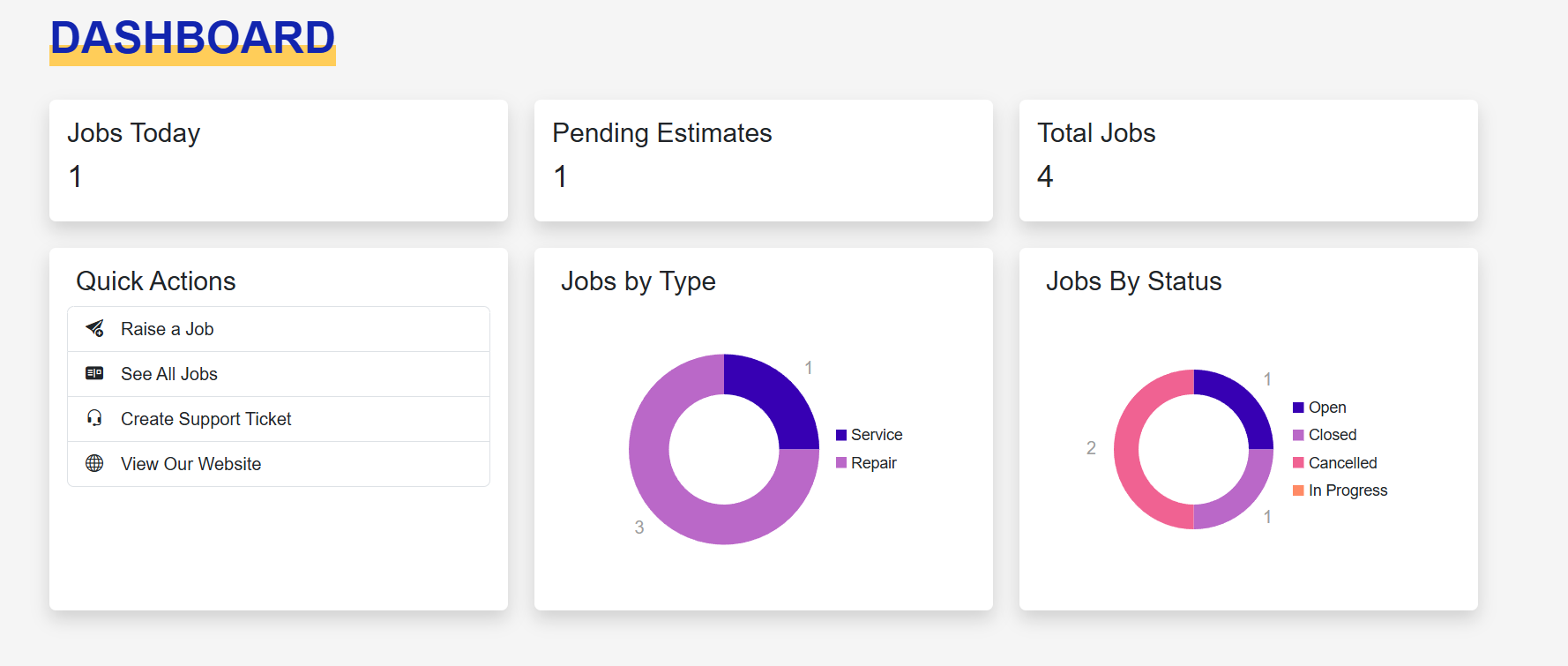
2. Job List (Jobs Screen)

3. Job page (Tags)
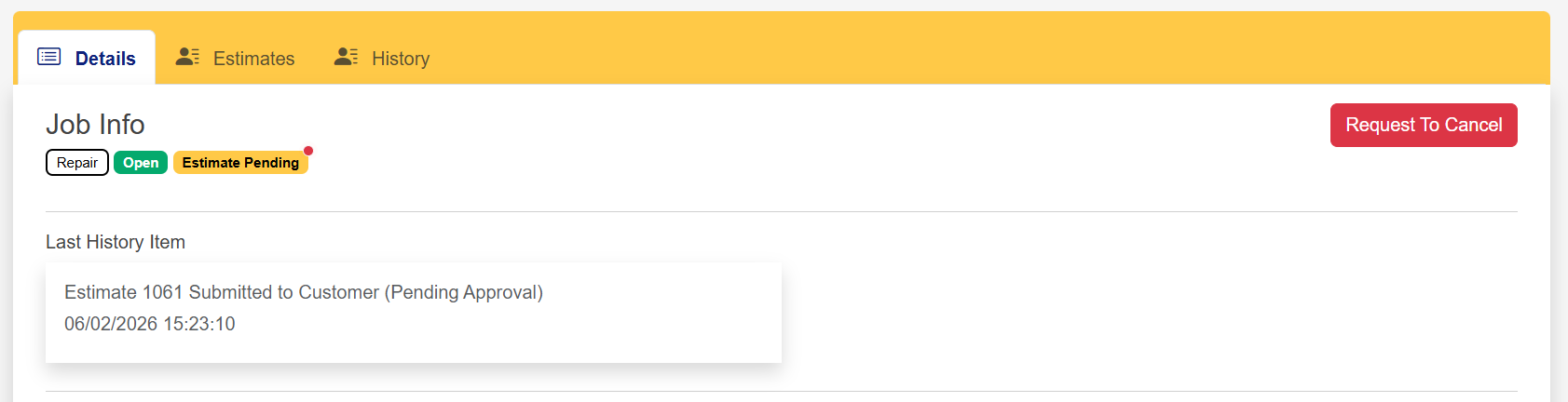
Approving/Declining Estimate
1. Goto the estimates tab on the job, click Approve/Decline
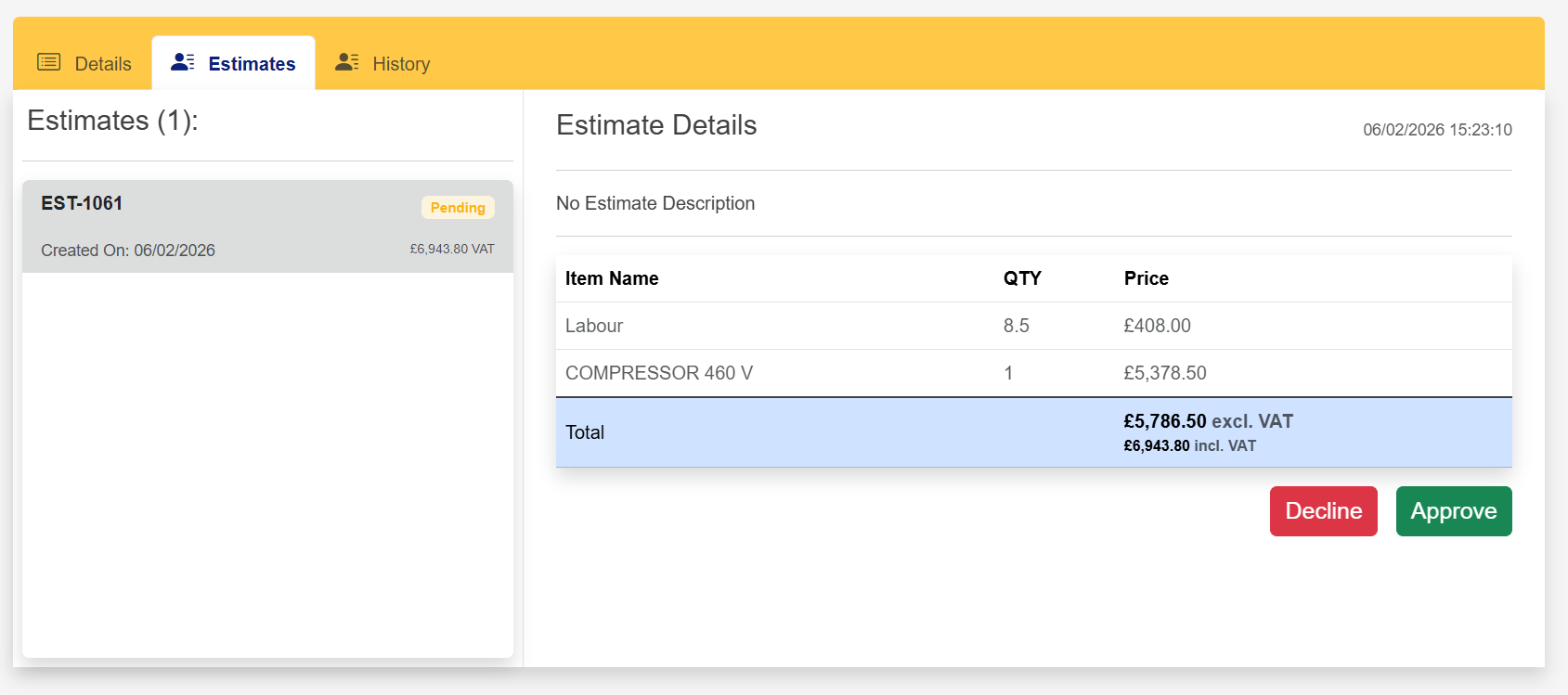
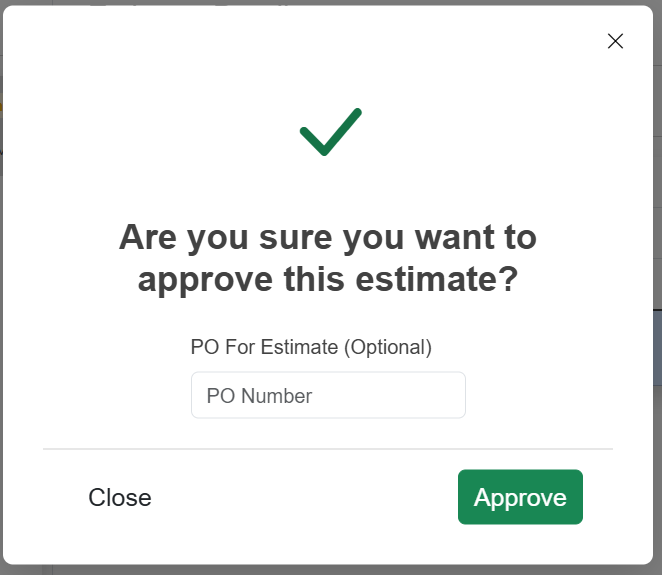
2. Select Approve
This will give you the option of adding your own PO number to the estimate.
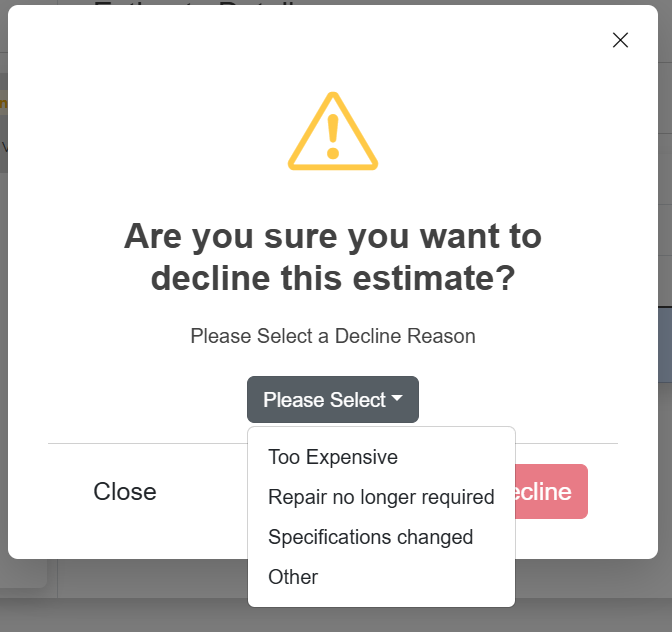
3. Select Decline
Before declining you must select a decline reason from the dropdown
Was this article helpful?
That’s Great!
Thank you for your feedback
Sorry! We couldn't be helpful
Thank you for your feedback
Feedback sent
We appreciate your effort and will try to fix the article