What is Go-Global?
Although we have a dedicated internet line over 1Gbps in Original, it's always quicker to run applications over a local network than over the internet. Applications like SAP are designed for local use only and not over the internet. Using SAP over the internet can be slow and this is visible when you are working from home.
To combat this, we have installed an application called "Go-Global" on your computer. Go-Global in a nutshell, transmits SAP from a local server in Original, to the screen to your computer. The result is a speedier experience when using SAP.
How to Access SAP Using Go-Global
Go-Global requires the Original VPN to be online.
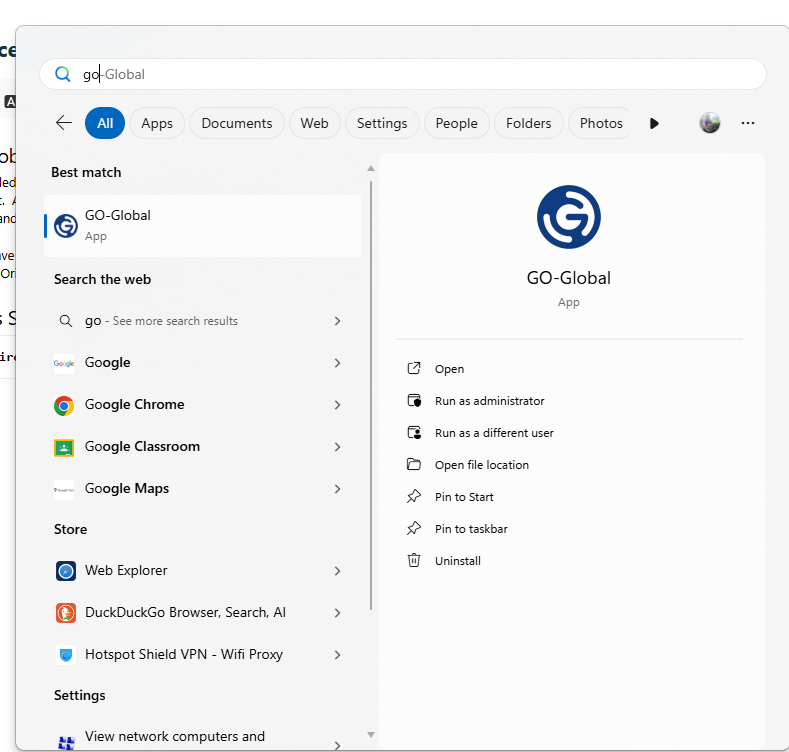
- Open Go-Global
- Ensure the host address is entered - OGG01 and press "Connect"
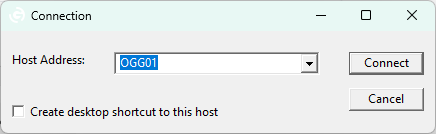
- The first time you connect to Go-Global will ask for your Windows Password.
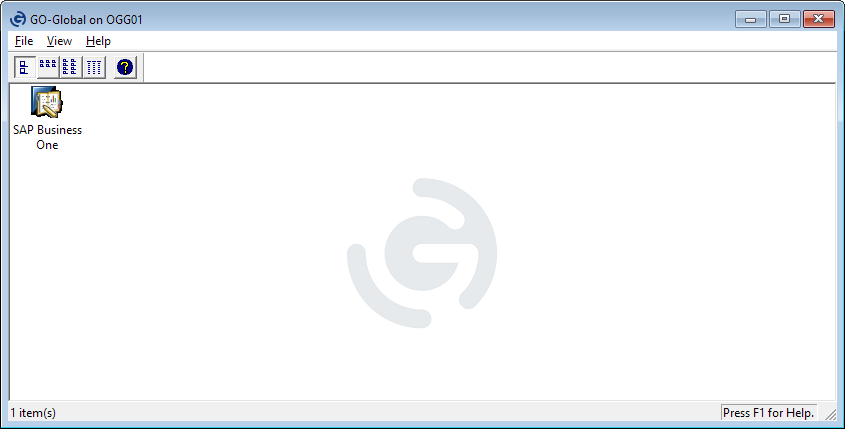
- When Go-Global Connects, you'll see this window appear.
- Simply Open SAP by double clicking the SAP icon.
- You should be able to login with SAP like normal.
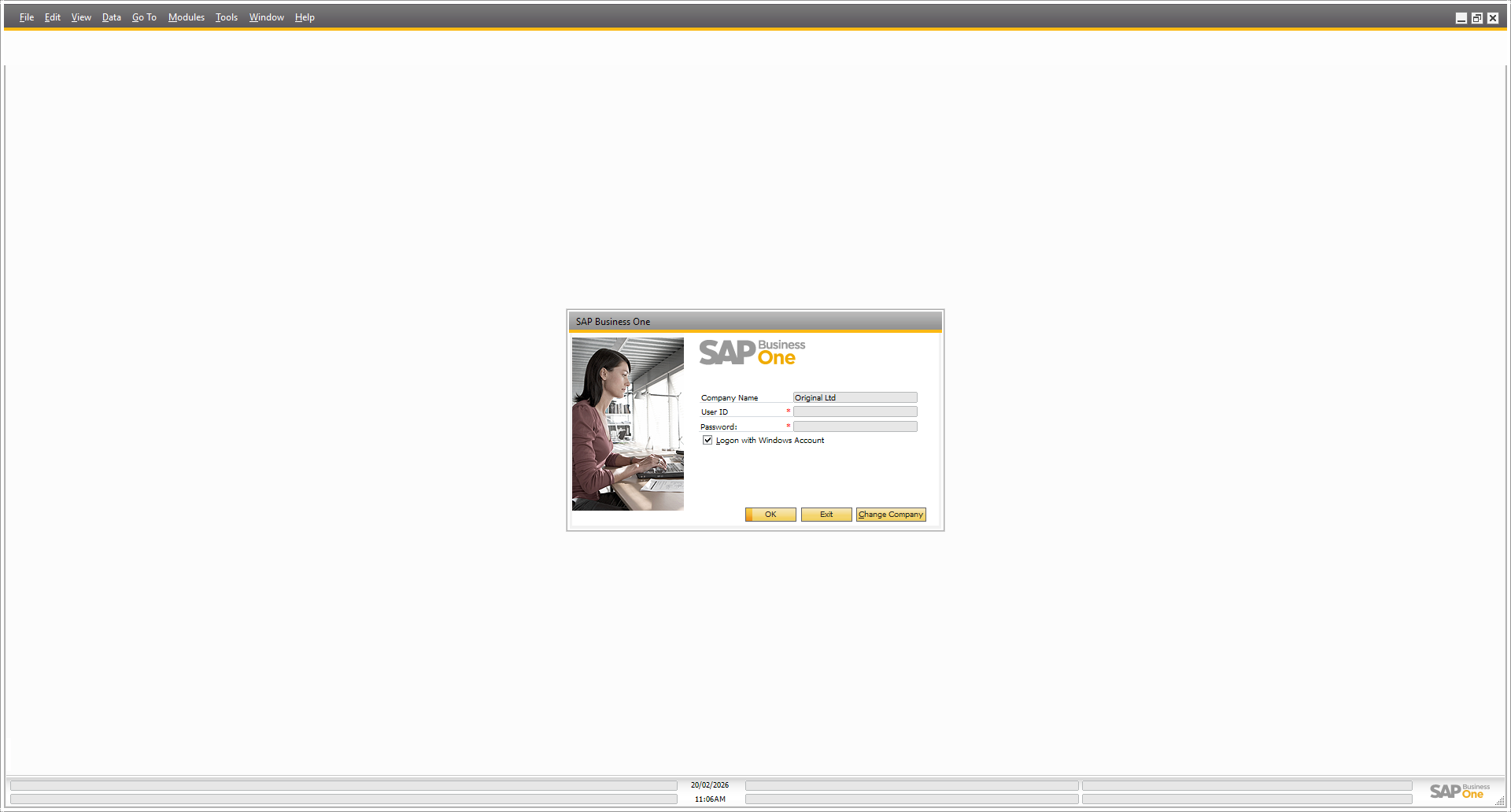
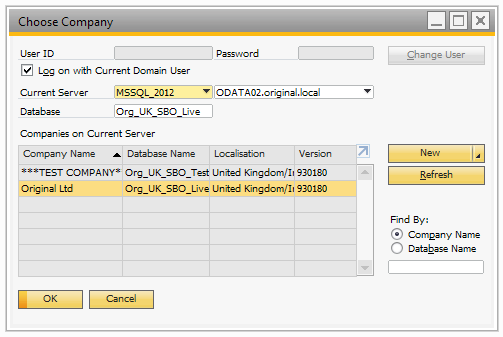
- If SAP cannot connect to the Original company, try pressing "Change Company" and ensure the details match the below:
Was this article helpful?
That’s Great!
Thank you for your feedback
Sorry! We couldn't be helpful
Thank you for your feedback
Feedback sent
We appreciate your effort and will try to fix the article